1. Getting Started
The purpose of this guide is to provide a sampling of hands-on exercises to better understand the subjects outlined in the 201-TMOS Administration Exam Blueprint.
The Ravello F5 vLab (virtual lab environment) is an F5-community supported tool. Please DO NOT contact F5 Support for assistance with the vlab. For help with the setup of the vLab or running a demonstration, you should contact your F5 Channel Account Manager (CAM).
To set up your own lab environment on your own platform. Please refer to vLab Setup and Configuration Guide for detailed instructions. This guide is included in the Partner_vLab_Package on https://downloads.f5.com.
Note
All work for this lab will be performed exclusively from the lab jumphost. No installation or interaction with your local system is required.

1.2. Lab Basics and Prep
Accessing the lab environment.
- Open a browser and go to http://api.f5labs.io/<instructor_uri>/X (where X is your student number)
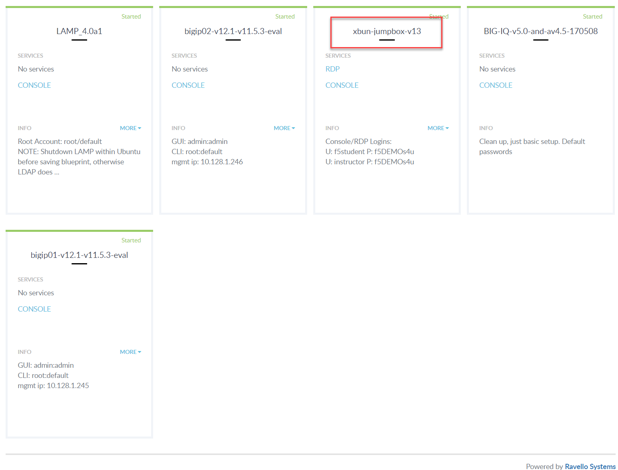
- Look for the xubuntu-jumpbox-vxx. You will use the xubuntu jumpbox for all the labs. (see below)
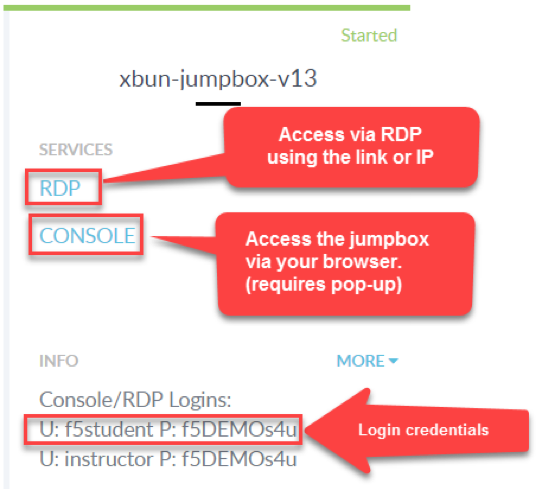
- You can click on RDP to RDP to the Xubuntu jumpbox or you can select the CONSOLE link and access the jumpbox via your browser. The CONSOLE link requires you turn off pop-up blockers.